OpenEmux
New OpenEmux now runs on Android →OpenEmux is a free and open-source emulation frontend. Add the games you already have, and OpenEmux organizes them by console with cover art and opens each one with the controls and shaders already set, without digging through settings menus. Linux is its main platform; Windows is supported too, in beta.
Free and open source · MIT licensed · AppImage, .deb, .rpm & Flatpak on Linux · installer & portable ZIP on Windows · APK on Android (GPLv3)
Inspired by OpenEmu for macOS, but not a fork: a separate codebase with RetroArch as the emulation backend. More about that.
Under the hood, the emulation is done by RetroArch. It is powerful, but its menus and settings can be a lot for someone who just wants to play. OpenEmux takes care of what is around it: organizing your games, downloading the cores, and setting up controls and shaders.
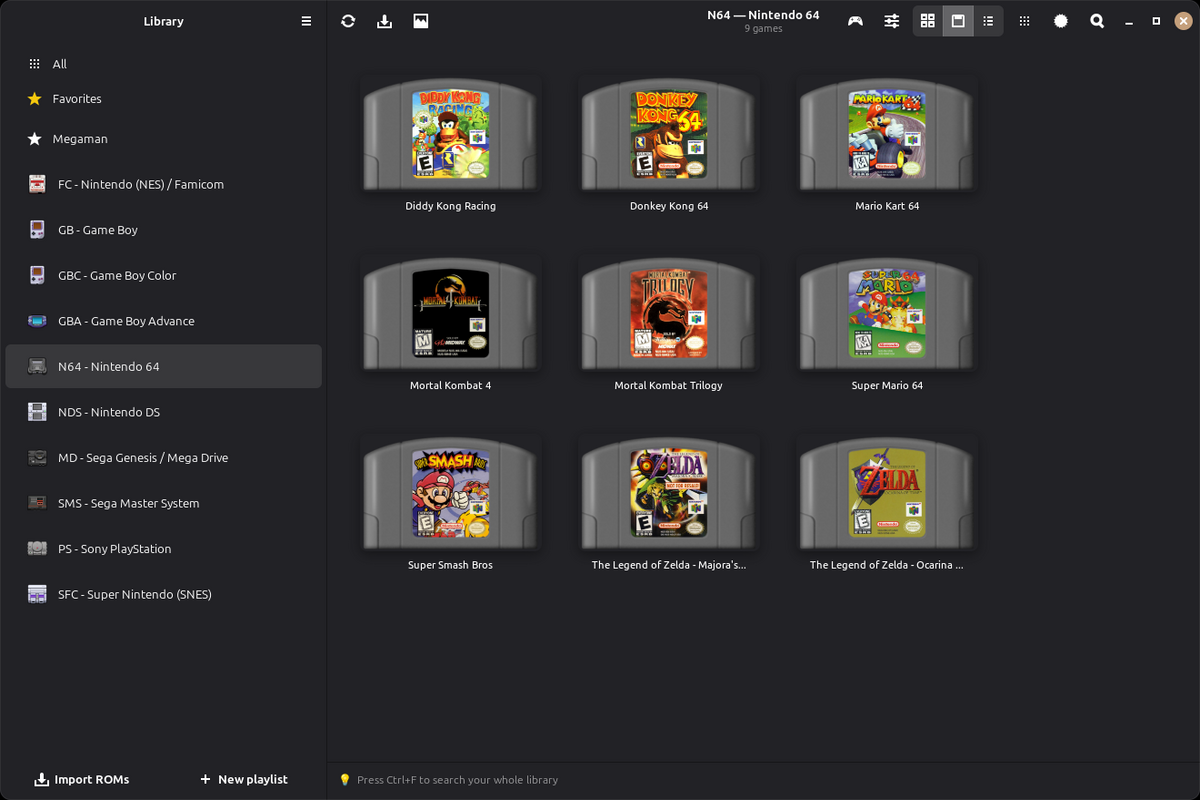
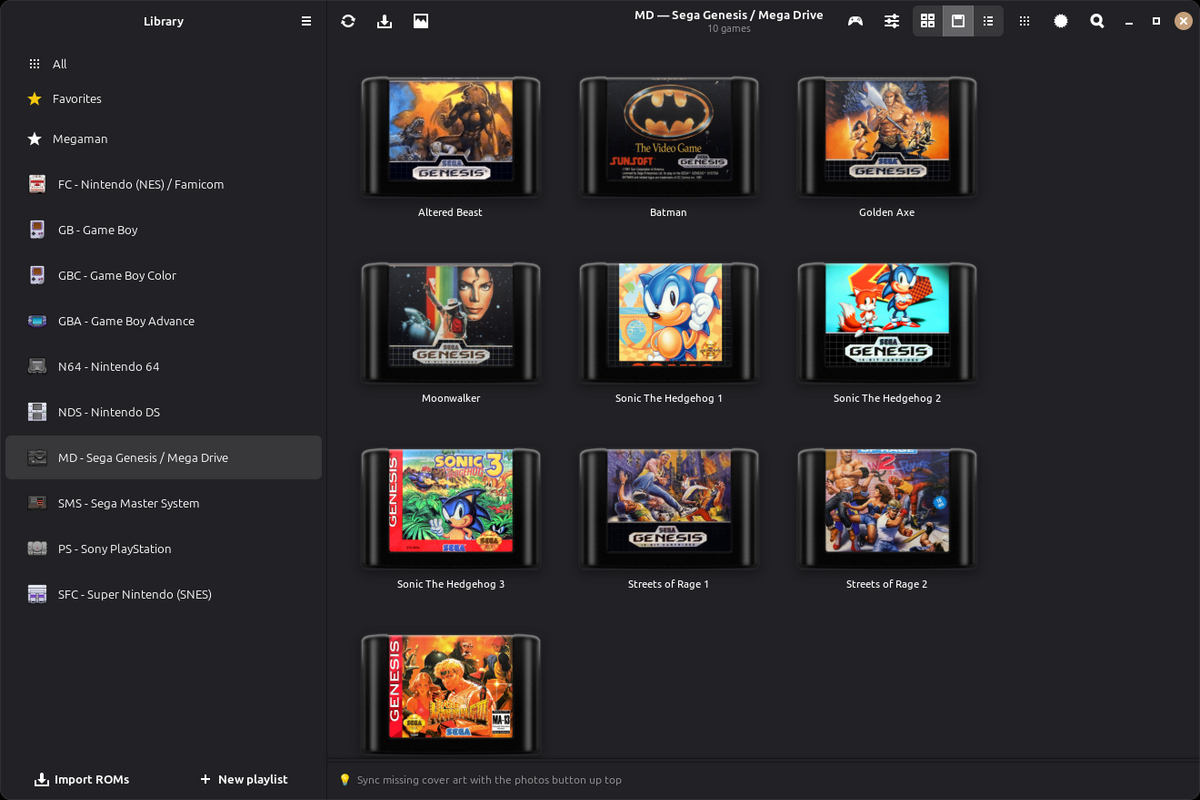
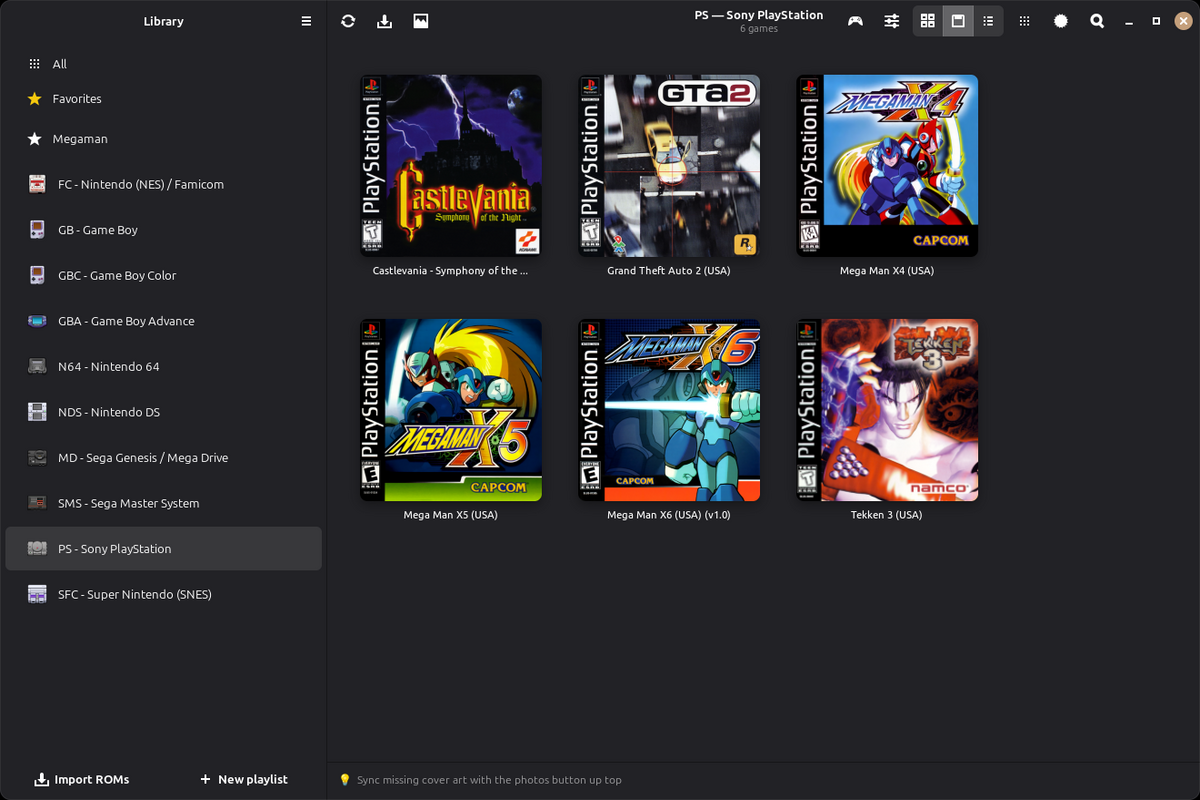
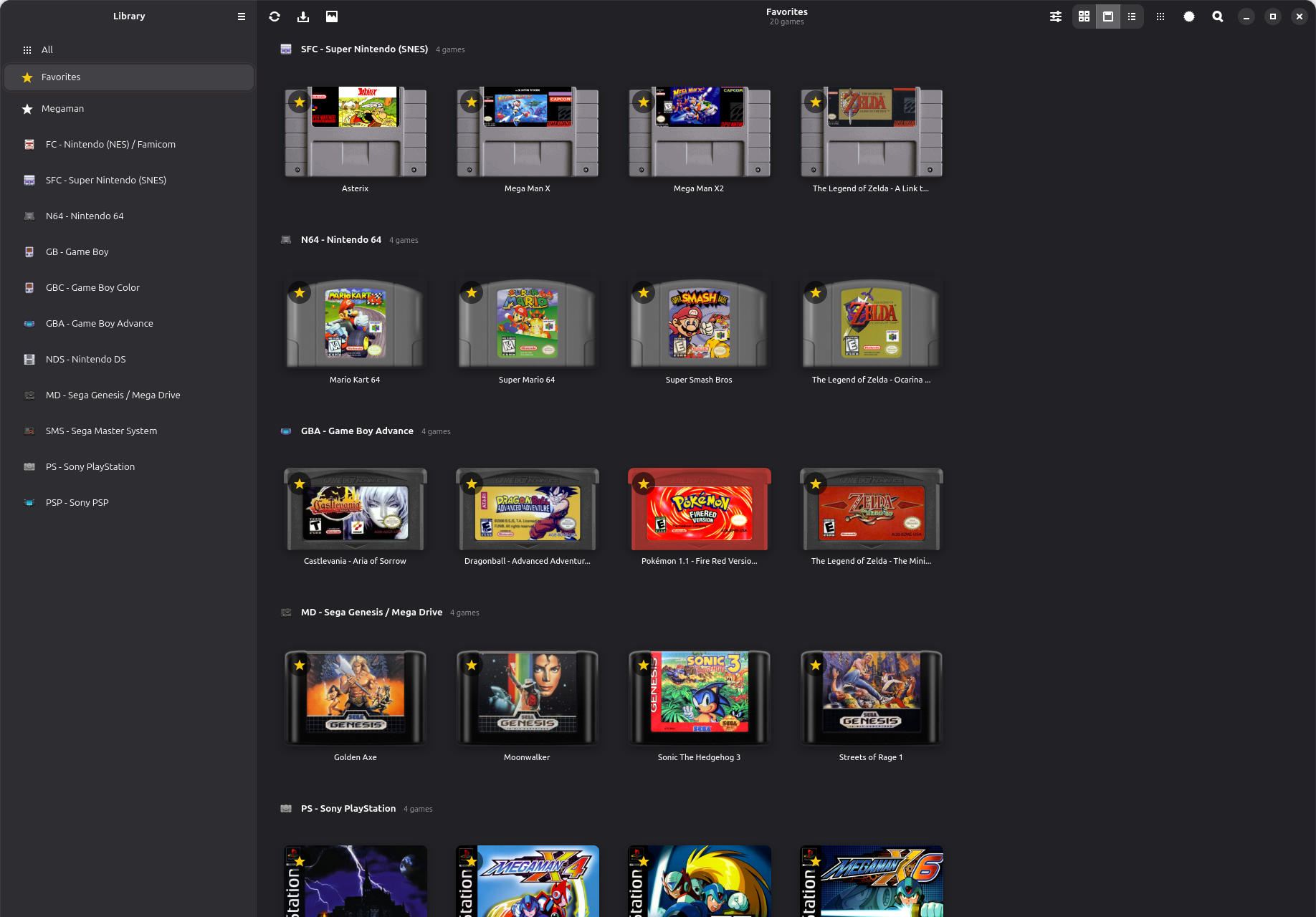
The games you add are grouped by console, with cover art downloaded from the libretro thumbnail archive.
The first time it opens, OpenEmux creates its configuration and downloads the cores your consoles need, usually in about ten seconds. The rest keep downloading in the background.
Set keyboard and gamepad buttons for each console in one panel. OpenEmux passes them to RetroArch when a game starts.
Choose a CRT or scanline shader for each console from a short list, without going through RetroArch's shader menu.
Linux is OpenEmux's main platform. The app is built with GTK4 and Adwaita, follows the GNOME guidelines, and every change is tested on Linux first. Windows is supported too, with a build still in beta.
Shows which BIOS files each console needs and which ones you already have, so a missing file does not end up as a game that silently fails to start.
OpenEmux is a frontend for RetroArch, made so that someone who just wants to play does not have to learn RetroArch's menus first. It is not a source of games: it ships no games, no ROMs and no BIOS files, and never will.
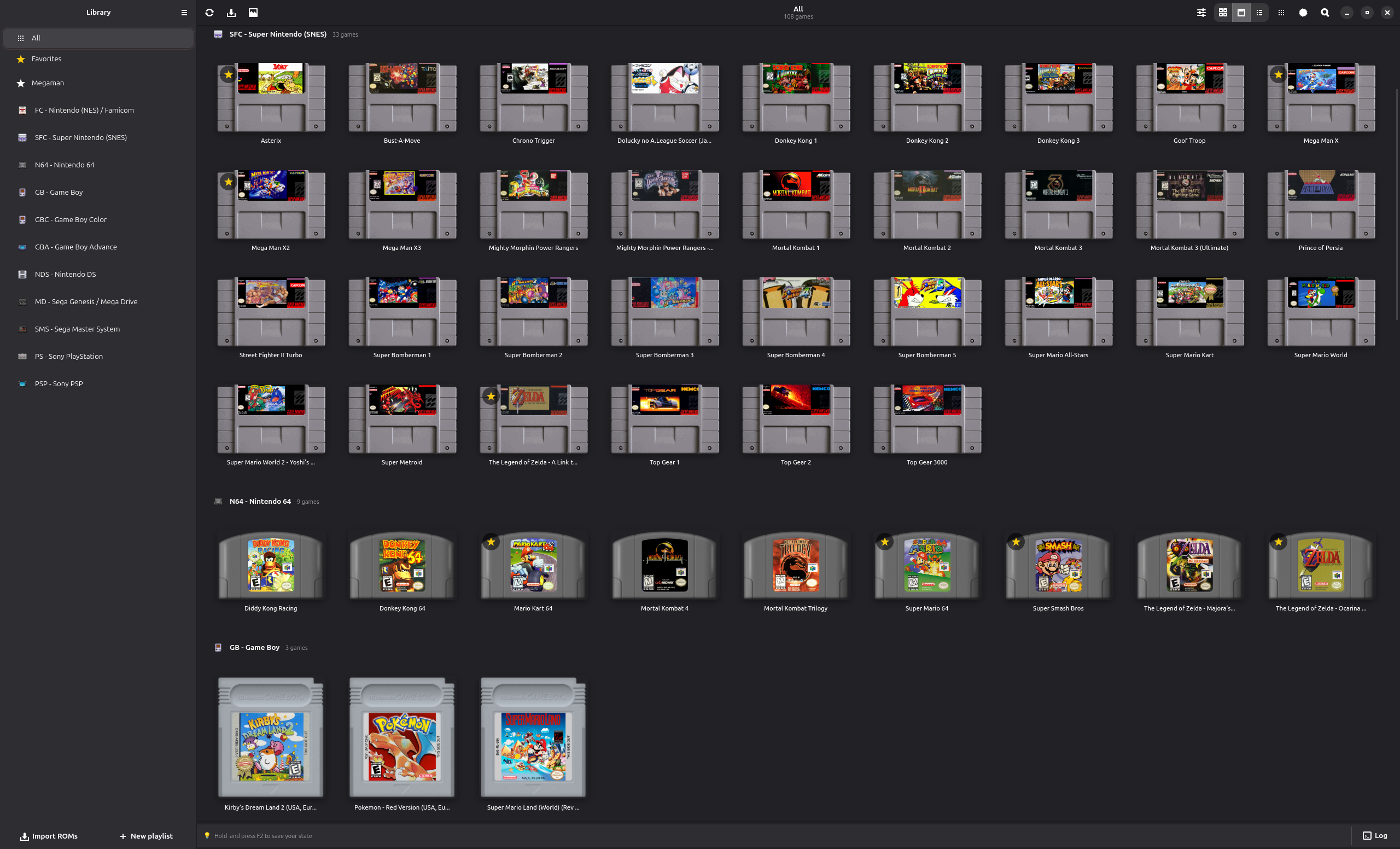
Each system runs on RetroArch's own cores, and has its own cover art, controls and shader settings in OpenEmux.
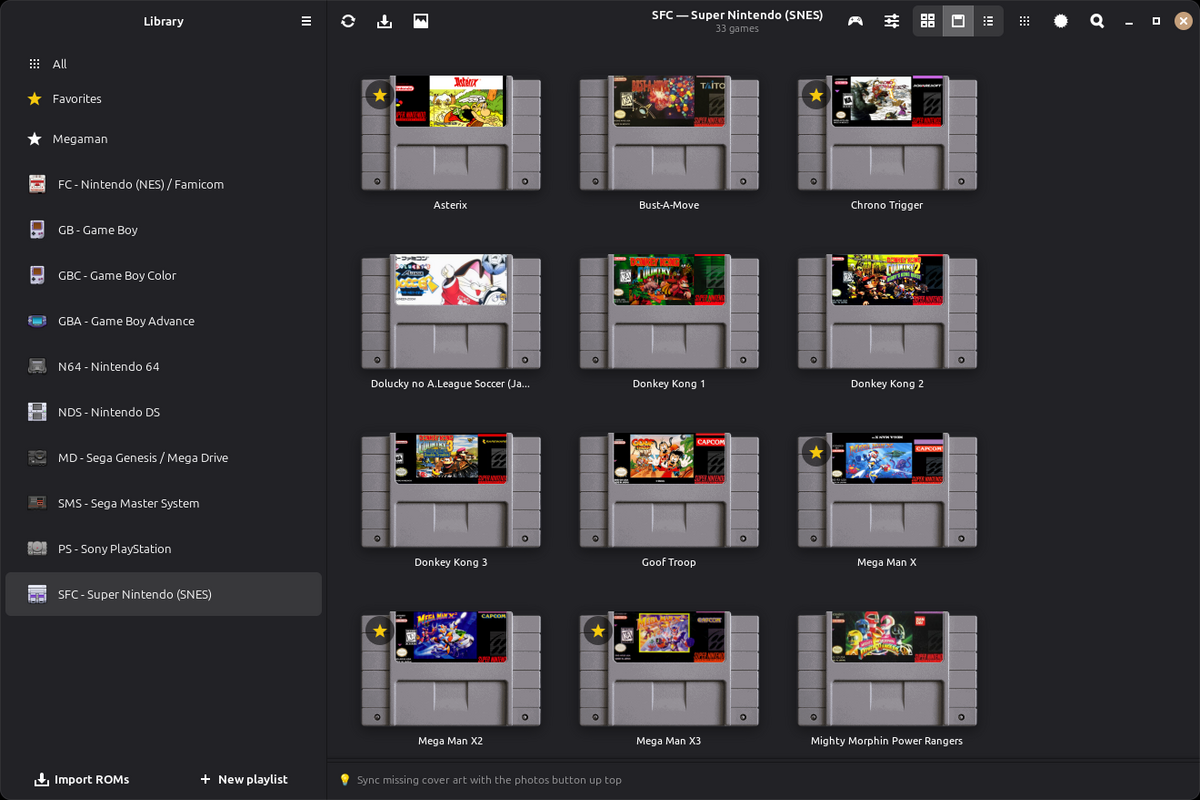
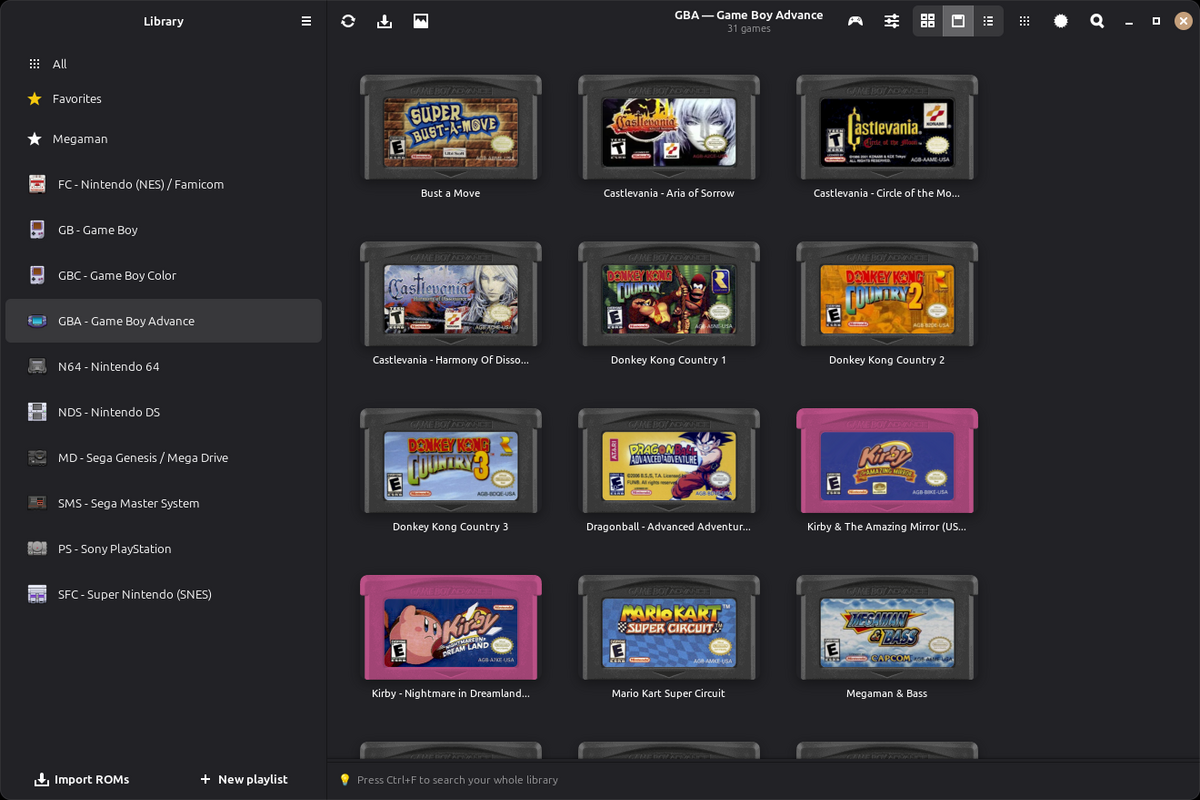
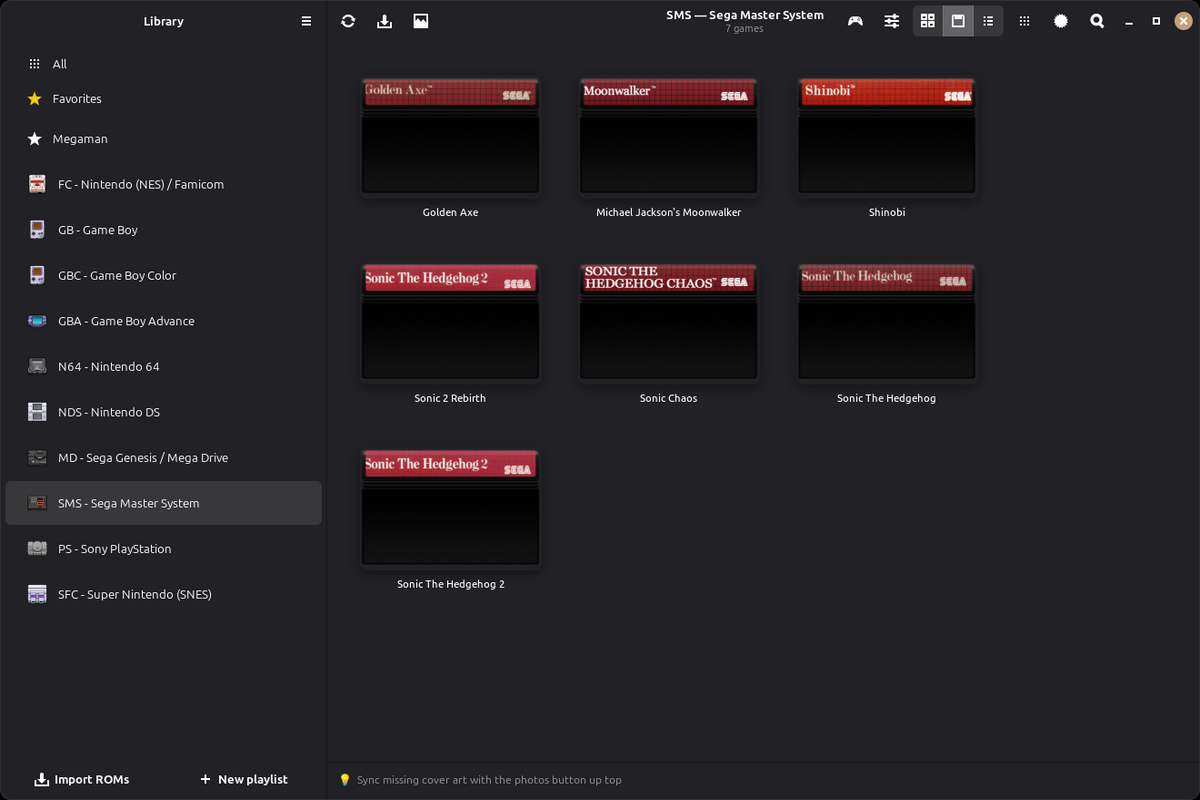
In the cartridge view, the games you added show up with their label art on the cartridge of their console. The cartridges below are an example of that view.
Each console gets its own page with the games you added to it. Use the arrows to go through them, and click a screenshot to see it full size.
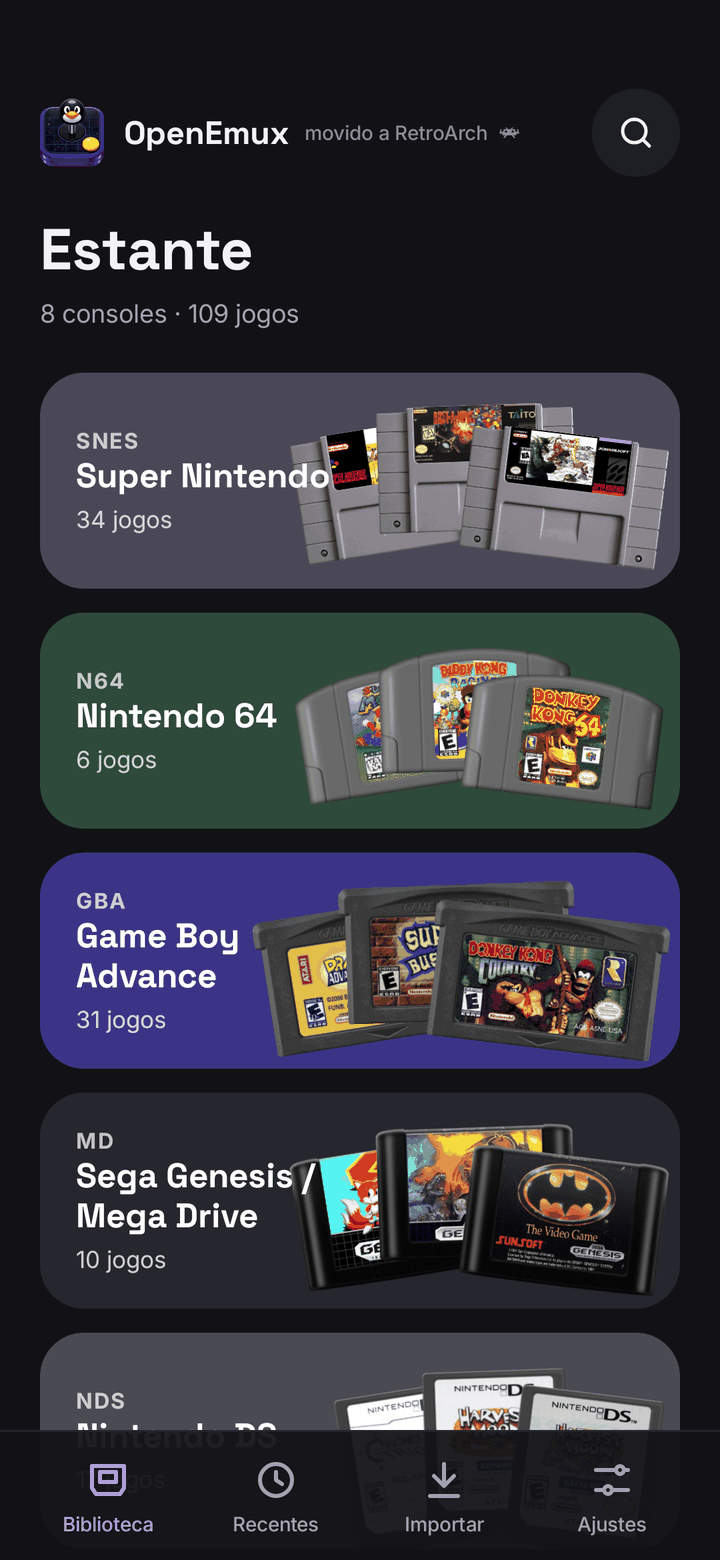
OpenEmux for Android brings the same library to the phone: the games you own, as cartridges on a shelf per console, played with on-screen controls drawn for each system or with a gamepad. The Android app is its own design: OpenEmu has no mobile version, so only the console icons come from OpenEmu.
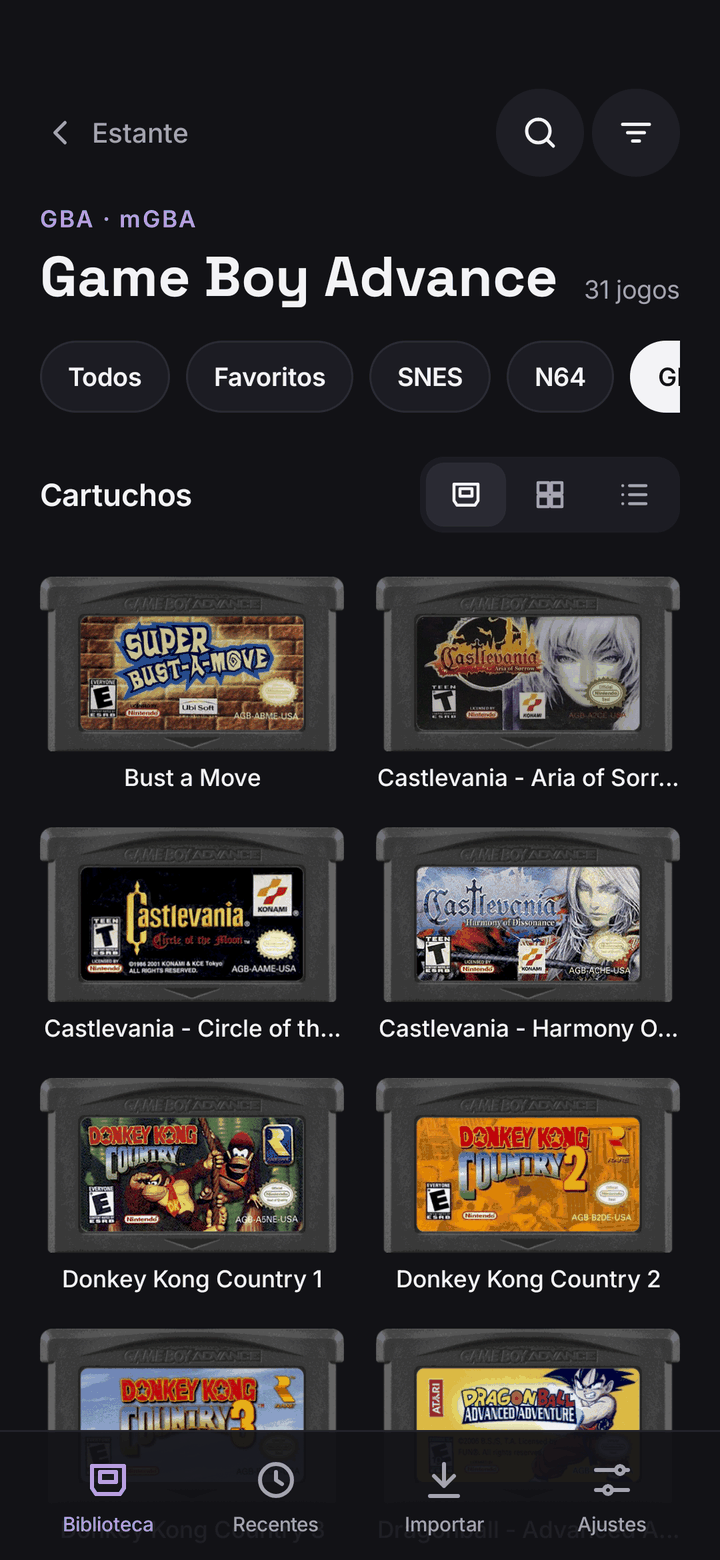
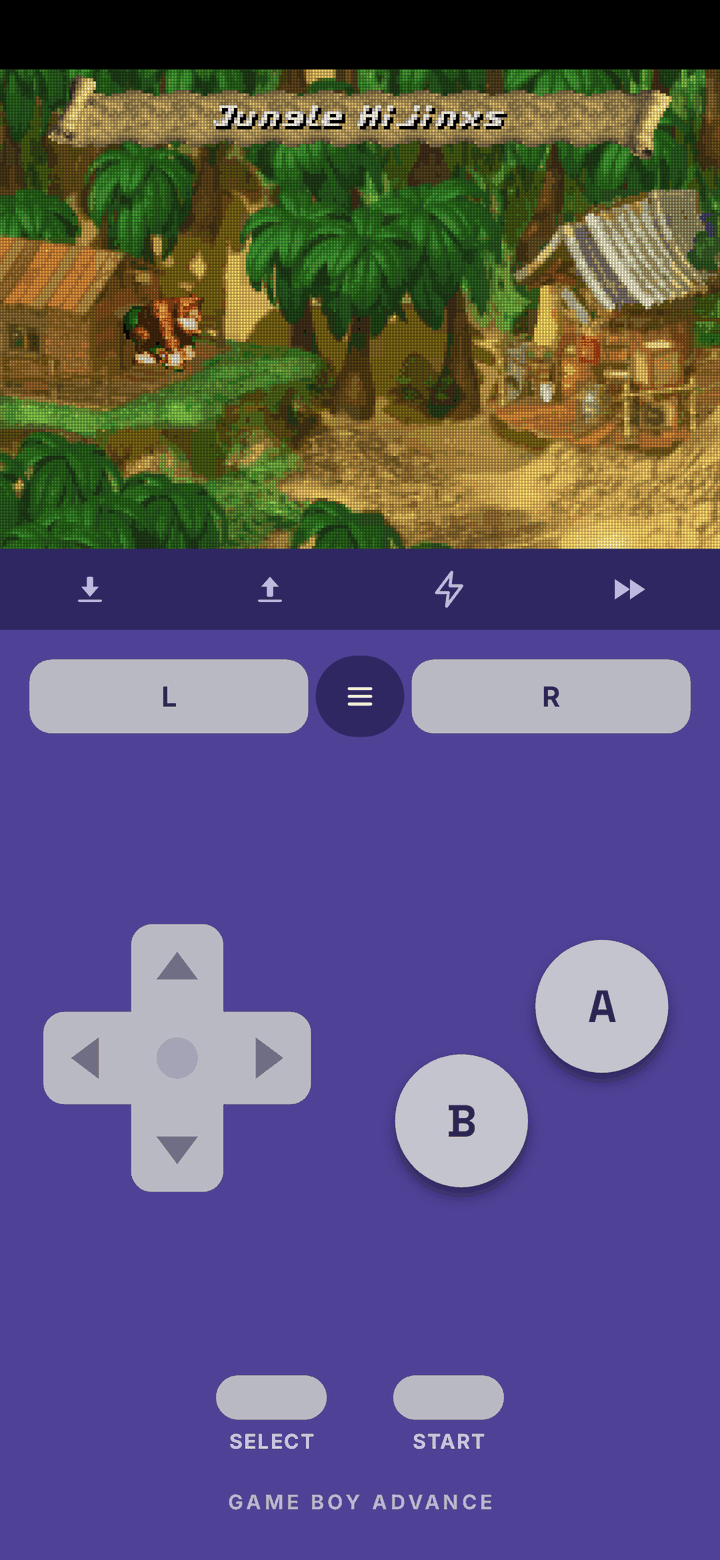
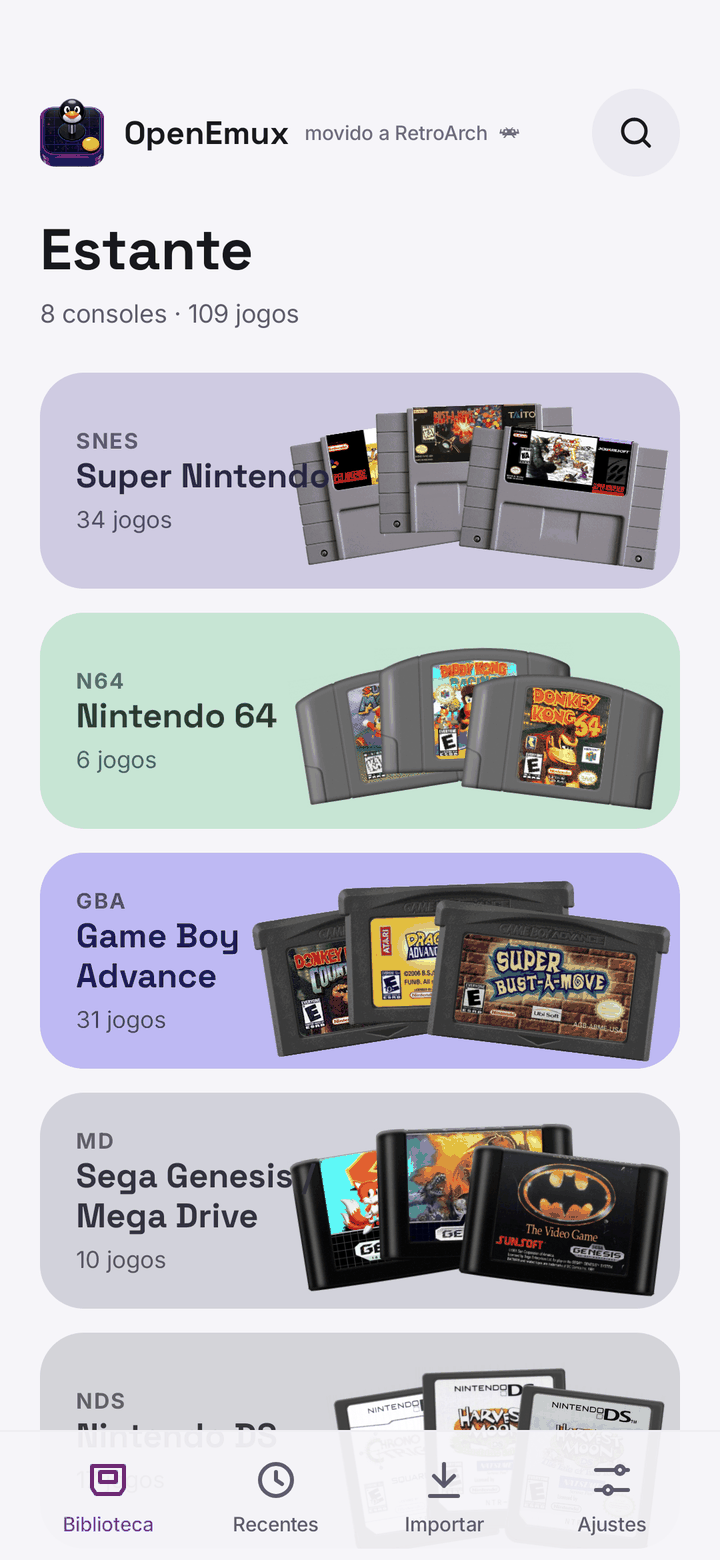
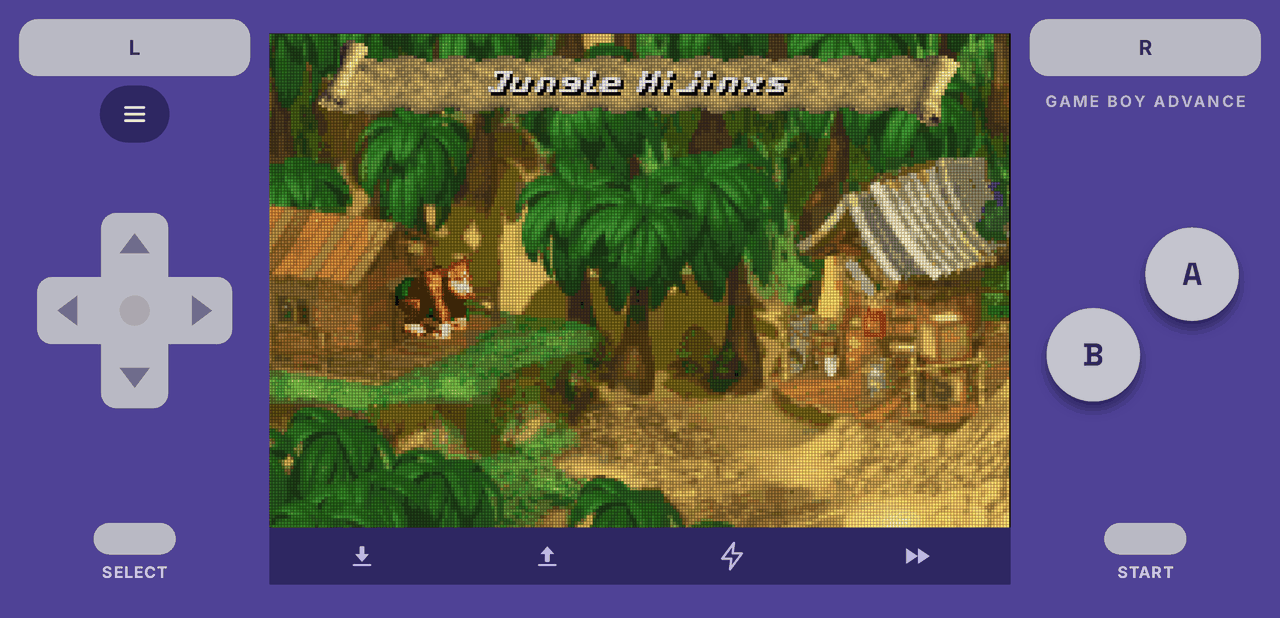
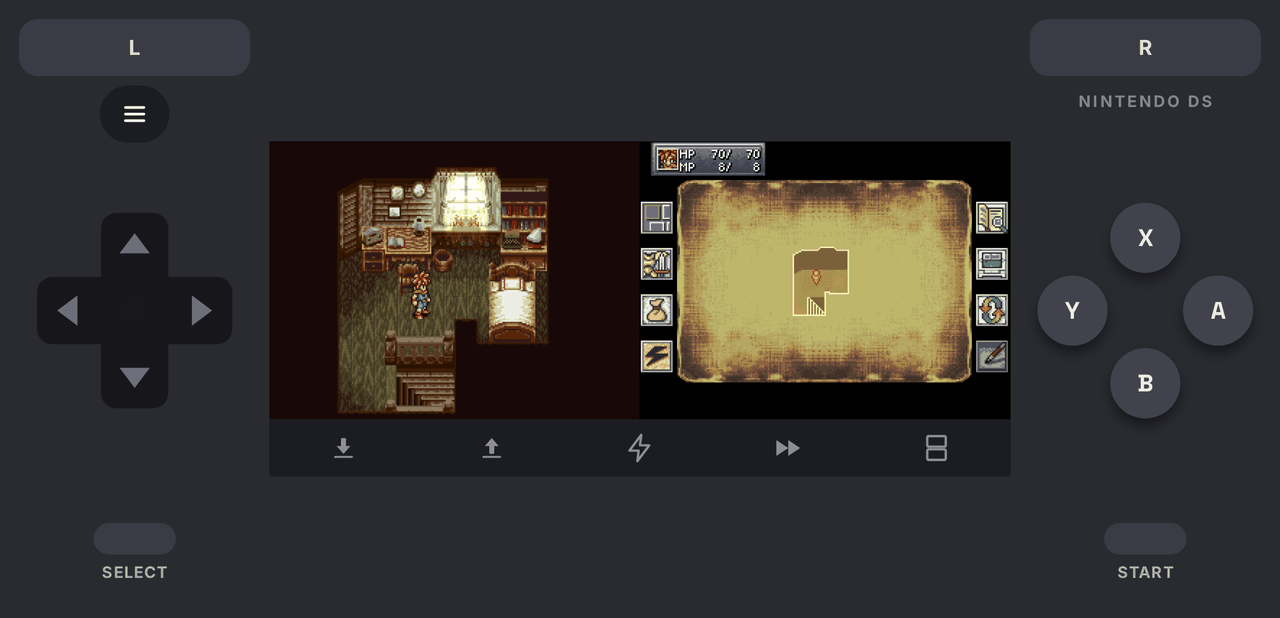
Each of the 31 consoles has its own on-screen controller, laid out like the original pad, in portrait and in landscape. A strip under the picture saves, loads, turns on turbo and speeds the game up.
Games show up as cartridges with their labels, or as covers and a list. The shelves can be put in any order.
The app does not carry the cores: the first time it opens, it downloads the ones every console needs from the RetroArch buildbot, with the system files PSP and GameCube use.
Connect a controller and the on-screen skin steps aside: the game takes the whole screen, and the menus follow the D-pad and buttons.
Follows the phone's theme, or pick one in Settings.
The same languages as the desktop app, following the phone or chosen in Settings.
Sign in once in Settings and every game unlocks achievements on your RetroAchievements profile, with hardcore mode when you want it.
Android 8 or newer, 64-bit (arm64). The Android app is a fork of RetroArch, so it is licensed under the GPLv3; its source is at open-emux-mobile.
There are packages for Debian, Ubuntu and Fedora, an AppImage, a Flatpak, an installer for Windows and an APK for Android. On first launch OpenEmux sets up the rest.
chmod +x OpenEmux-x86_64.AppImage
./OpenEmux-x86_64.AppImage
No FUSE? Prefix with APPIMAGE_EXTRACT_AND_RUN=1.
sudo apt install ./openemux_*_amd64.debUbuntu 24.04 LTS or newer.
sudo dnf install ./openemux-*.x86_64.rpmFedora 40 or newer.
flatpak install -y flathub org.libretro.RetroArch
flatpak remote-add --if-not-exists --no-gpg-verify \
  openemux https://guilhermefeitosa66.github.io/openemux-flatpak/repo
flatpak install -y openemux io.github.guilhermefeitosa66.OpenEmux
Updates arrive with flatpak update. A single-file
.flatpak bundle is on the Releases page too.
Both builds carry GTK 4, the Python runtime and RetroArch itself, so there is nothing to install alongside them. Windows 10 or 11, 64-bit. It is new — if something misbehaves, open an issue.
OpenEmux-*-setup.exeInstalls for your user only, so no administrator prompt. The builds are not code-signed yet: SmartScreen will warn, and More info → Run anyway gets past it.
OpenEmux-*-windows-x86_64.zipUnzip it anywhere and run OpenEmux.exe from the
OpenEmux\ folder inside. Good for a USB stick or a machine you cannot install software on.
The APK is not on the Play Store yet: download it from Releases and allow your browser or file manager to install apps when Android asks. Android 8 or newer, 64-bit.
OpenEmux-mobile.apkOpen the downloaded file and confirm. Updates are installed the same way, over the previous version.
The first time it opens, the app downloads the emulator cores. Then put your ROMs in Import, or in Android/data/com.openemux.mobile/files/roms on the phone.
Every release ships a SHA256SUMS file. Put it next to the artifact you
downloaded and run:
sha256sum -c SHA256SUMS --ignore-missingOK means the file is exactly what was published.
Anything else means it is corrupt or tampered with — don't run it.
On Windows, PowerShell prints the hash and you compare it by eye
with the matching line in SHA256SUMS:
Get-FileHash .\OpenEmux-*-setup.exe -Algorithm SHA256Prefer building it yourself?
make bootstrap && make run — see the build instructions.
OpenEmux is inspired by OpenEmu, the emulator frontend for macOS. OpenEmu only runs on macOS, so OpenEmux tries to offer something similar on Linux, and now on Windows too. It is not a fork and shares no code with OpenEmu: it is a separate codebase in Python, GTK 4 and libadwaita, and the emulation itself comes from the RetroArch and libretro projects. The console icons are OpenEmu's artwork, credited under OpenEmu's BSD license. The Android app is an independent design (there is no OpenEmu for phones). OpenEmux is not affiliated with or endorsed by the OpenEmu Team. None of this would exist without the work of all these projects. ❤️
It is free to use, and the code is open under the MIT license. If you would like to help, bug reports, translations, code and ideas are always welcome. On r/OpenEmux you can ask for help, share your setup or follow what is being worked on.